
Home › eSIM without an app
No download · No app store · No waiting
Travel data without the download.
Open Num in any browser, on any device, and buy an eSIM in minutes. Anytime, anywhere, on any connection that will load a web page.
Live prices from local carriers · Card payment in the browser · Activation code in seconds
Six steps, or three
Every phone installs its own eSIM. An app only adds the steps before it.
6
steps, buying through an app
- ×Find the right app in the store
- ×Wait for it to download on airport wi-fi
- ×Create an account inside the app
- ×Accept the permission prompts
- ×Buy your plan
- ×Install the eSIM from Settings
All before you have any data.
3
steps, buying through your browser
- ✓Open numesim.uk/app
- ✓Buy your plan
- ✓Install the eSIM from Settings
Same eSIM. Same price. Same last step.
You should not have to install software to buy a SIM card.
Nobody downloads an app to buy a train ticket. Travel data is the last corner of travel where that is still normal — at exactly the worst moment.
What you get without installing anything
The whole product, in a browser tab
Same catalogue, same live prices, same checkout — on a phone, a laptop, or a tablet you borrowed.
190+ countries
Country, regional and global plans. No account needed just to look.
Live prices
Straight from our provider catalogue, with price per GB so you can tell value from cheapness.
An account in seconds
An email and a password. Nothing to download, nothing to verify by SMS.
Card payment
Handled in the browser by Stripe. Your card details never touch us.
Your activation code, in seconds
Issued the moment payment completes — then your phone's own settings do the installing.
Live usage
Data left, days left and the activation window, for every eSIM on your account.
Top up in place
Reloadable plans take more data without a new eSIM and without reinstalling.
Keep your number
The travel plan is a data line beside your existing SIM. Calls and texts carry on as normal.
Start to finish
Open the link
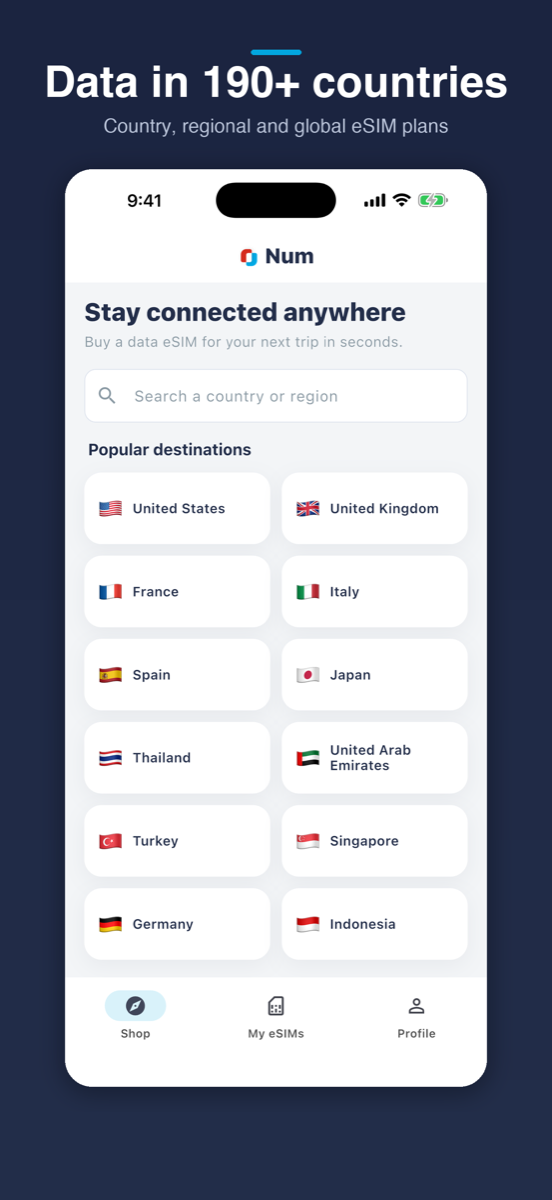
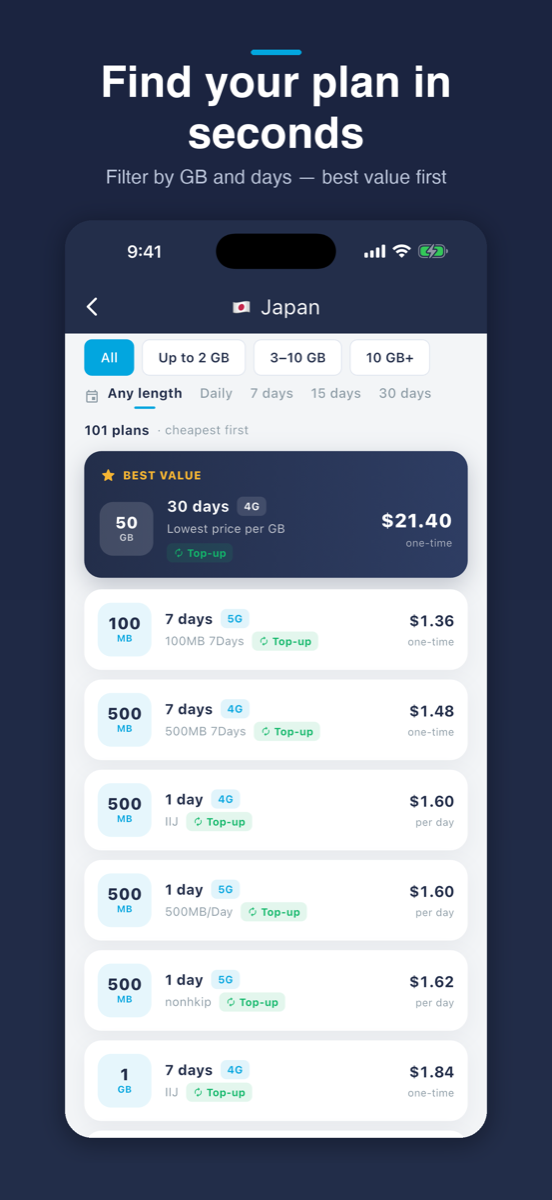
Go to numesim.uk/app in whatever browser you already have, and pick a plan — live prices, best value per GB marked.
Pay by card
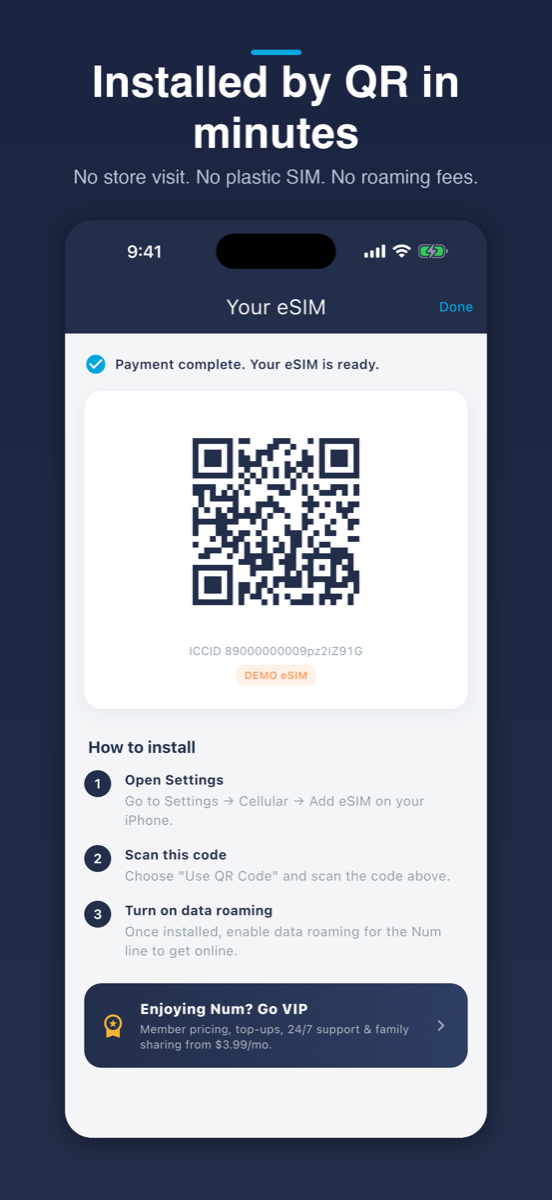
Handled in the browser by Stripe. Your activation code is issued the moment payment completes, usually within seconds.
Add the eSIM
Settings → Cellular → Add eSIM, then turn on data roaming for the Num line when you land.
No eSIM installs itself from inside an app — on any phone, from any provider, the handset’s own settings do the installing. The full walkthrough, with screenshots →
Pick a destination and go
Every one of these opens in the browser with live prices. Nothing to install to look, nothing to install to buy.
What you do need
Not an app — but the handset has to take an eSIM at all, and it has to be carrier-unlocked. Both take seconds, and both are worth checking before you pay.
eSIM hardware
Dial *#06#. An EID in the results means the phone has it.
No carrier lock
Settings → General → About → Carrier Lock should read “No SIM Restrictions”.
Check your exact model in ten seconds →
An iPhone app is coming
It will bring Apple Pay and a one-tap install, and it will be worth having. But it is an addition, not a requirement — the browser is not a stopgap and it is not going away.
Common questions
Do I need to download an app to use a Num eSIM?
No. Everything up to the point of installing the eSIM happens in your browser at numesim.uk/app — browsing plans, creating an account, paying, and getting your activation code. An iPhone app is on the way, but nothing here waits on it.
Can I really pay in the browser?
Yes. Card payments are handled in the browser by Stripe, the same processor used everywhere else on this site. Nothing is installed to make a payment.
How do I install the eSIM once I have bought it?
Your phone does that part, not an app. Open Settings, then Cellular, then Add eSIM, and use the activation code we issue. This step is identical whether you bought through a browser or an app — no eSIM installs itself from inside an app on any phone.
Does this work on Android?
The browser side works on any modern phone. What matters is the handset: it needs eSIM hardware and must be carrier-unlocked. Dial *#06# and look for an EID to check. The Num app itself is currently iPhone only, which is precisely why the browser route exists.
Do I have to create an account?
Only to buy. Browsing destinations and prices needs no account at all — you can compare everything first and decide later.
Is it cheaper to buy in the app than the browser?
No. Prices are the same either way. There is no browser surcharge and no app discount.
Will I keep my own phone number?
Yes. A travel eSIM adds a data line alongside your existing SIM, so calls and texts on your usual number carry on working. Turn data roaming off on your home line so it does not quietly use data.
What if I run out of data mid-trip?
Reloadable plans can be topped up in place from your account — no new eSIM, no reinstalling, no second QR code.
No download. No store. No waiting.
Open a tab, pick a country, and land connected.